

AI EXECUTIVE ASSISTANT
Handles the busywork. Makes space for what matters.
SYNPL keeps track of your work chats, emails, priorities, follow-ups, what needs your attention, and what to do next.


Watch the Demo
1m 14s



Meet Luv,
your AI executive assistant
Luv brings together your messages, email and calendar, and the people behind them. She learns what you’re working toward, keeps track of what matters most, and drafts replies that sound like you.

One clear picture
Everything from your chats, inbox and calendar in one place, so nothing important hides in a thread you never opened.

Secure and private
Only the sources you connect, processed on your device. Nothing irreversible happens without your approval.

Your time back
Luv does the reading, the sorting and the drafting. Your hours go to decisions instead of catching up.
One assistant who handles all day-to-day affairs

One context across every channel
AI assistant knows who’s who: which client, which project, which promise. A message in WhatsApp connects to a ticket in Zendesk and a deal in your CRM. And the longer it works, the more it knows about how your business actually runs.
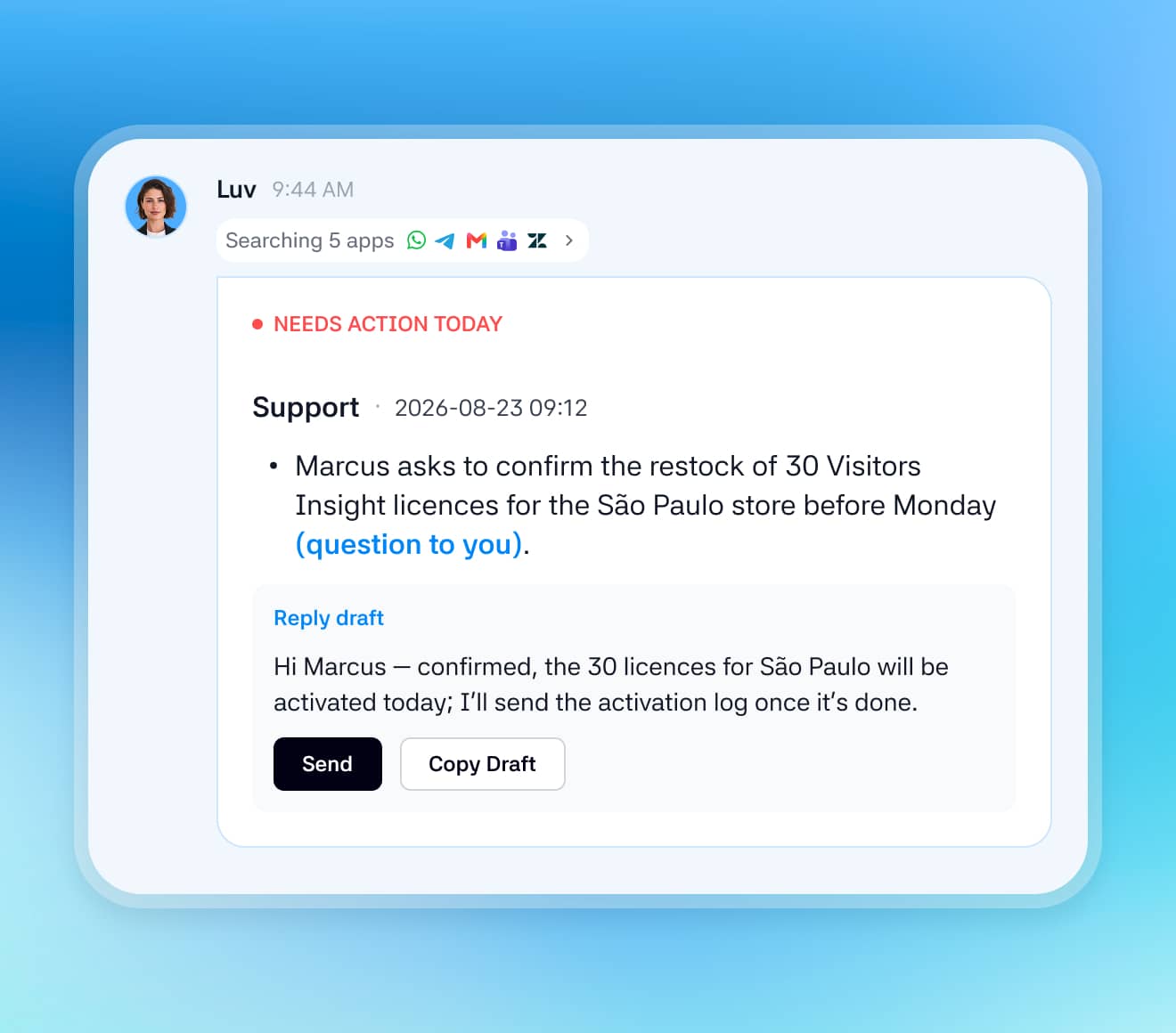

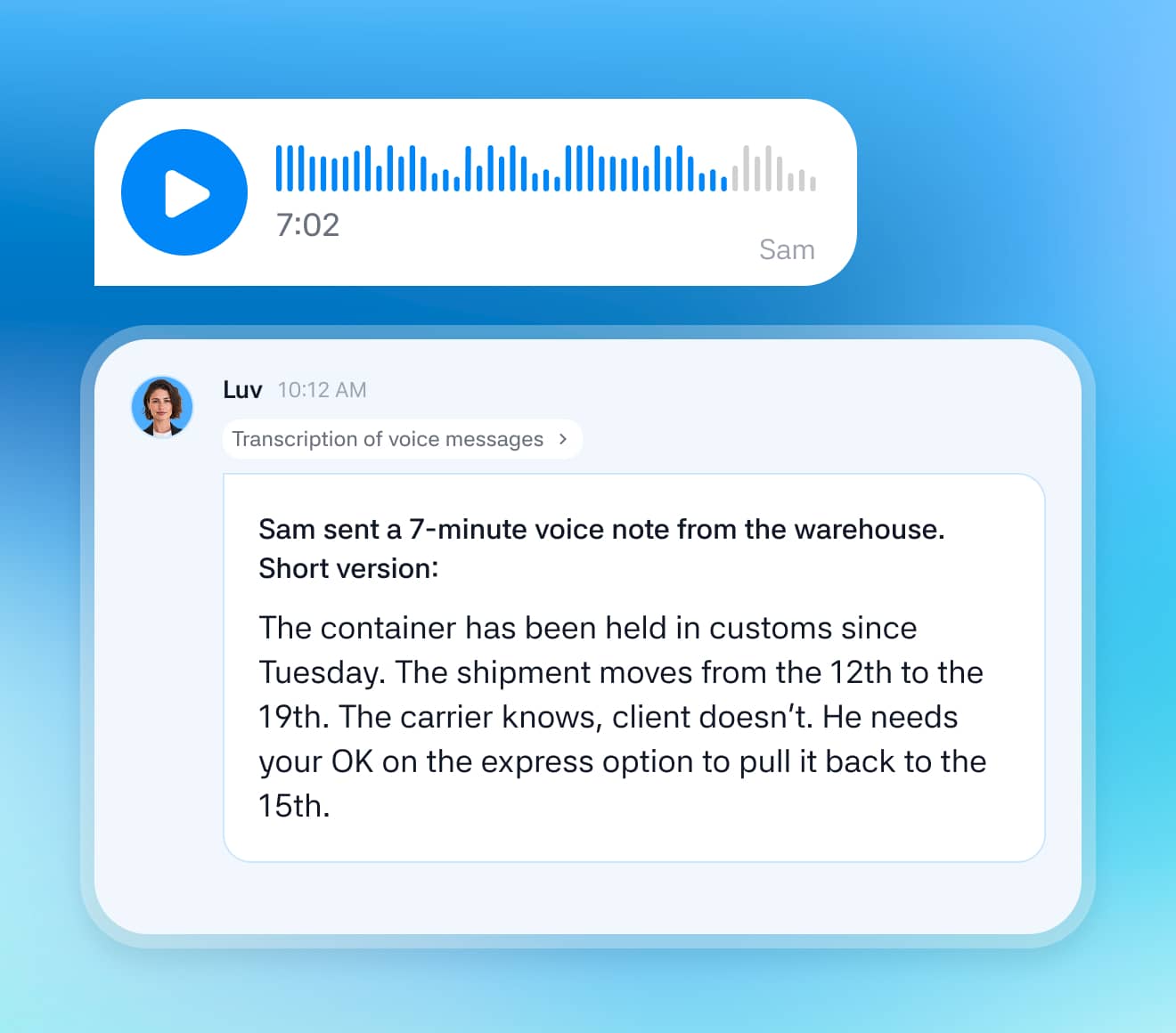
Voice notes, meetings, and everything in between
AI assistant transcribes voice messages and calls, reads attachments, and understands the shorthand your team actually uses, down to which 👍 meant “approved.”

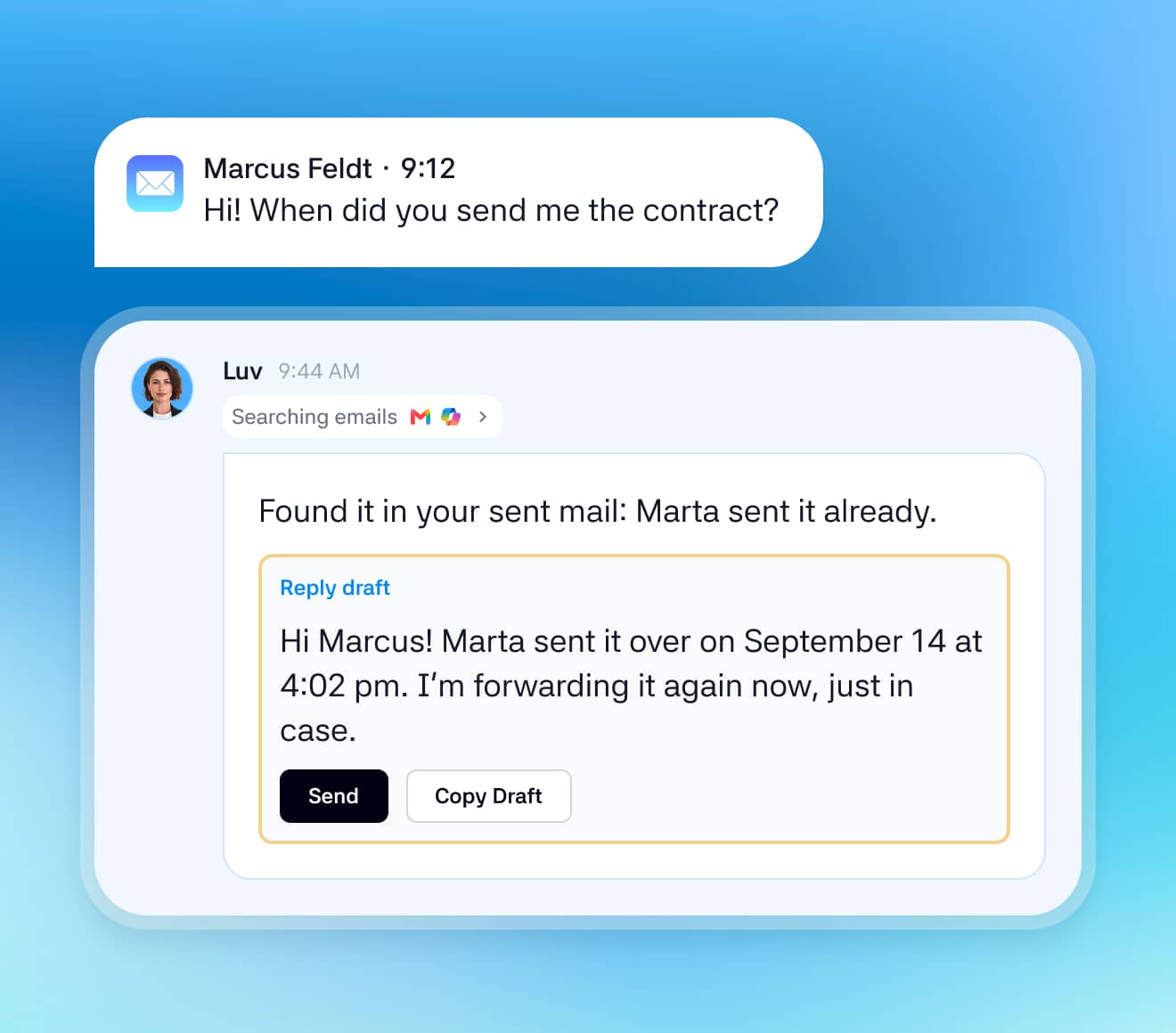
Replies, already drafted
By learning how you communicate with different people across different platforms, AI assistant drafts replies matching your voice and tone.
Each reply is crafted with the context of your recent discussions and meetings.

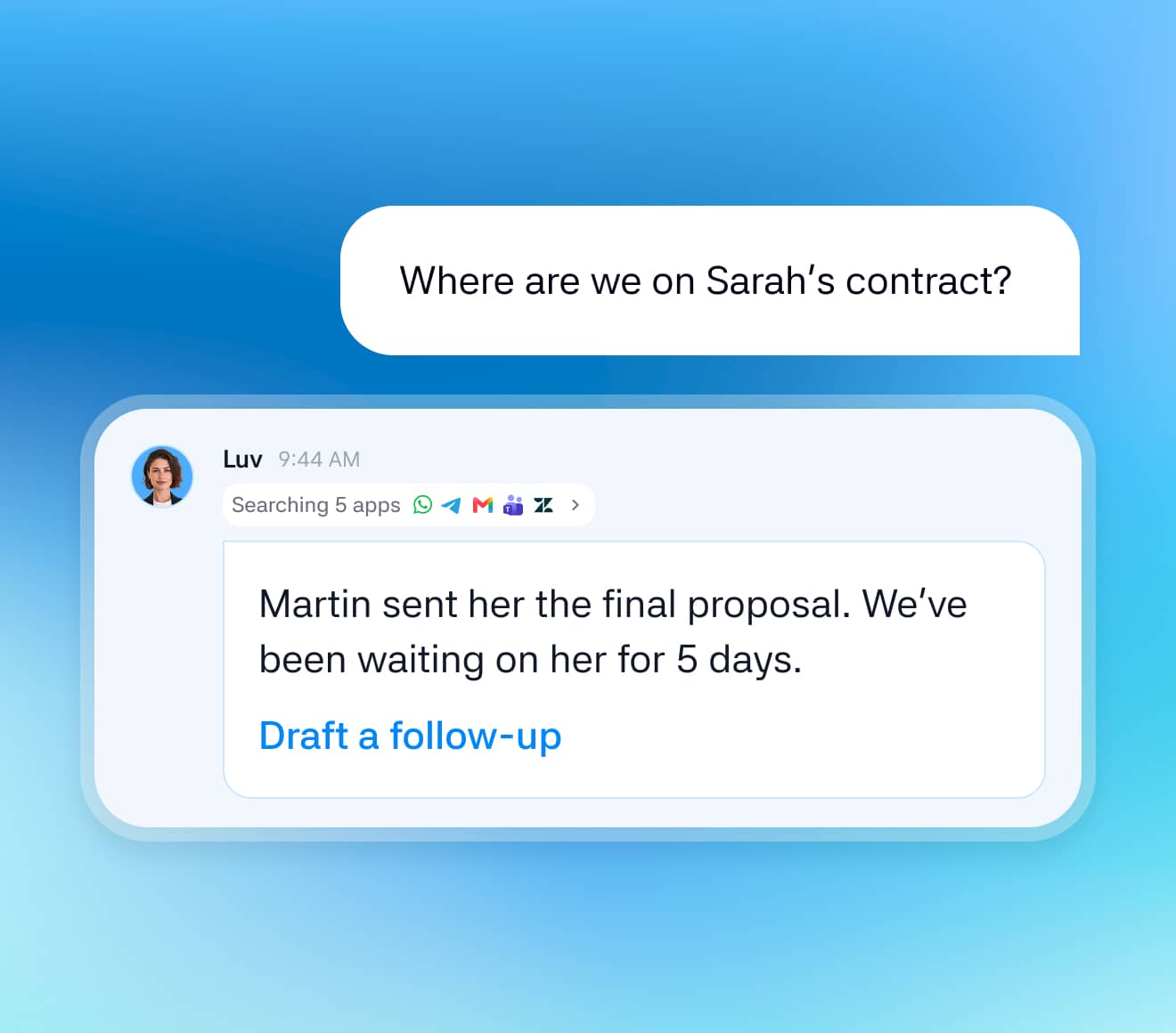
Search across every conversation
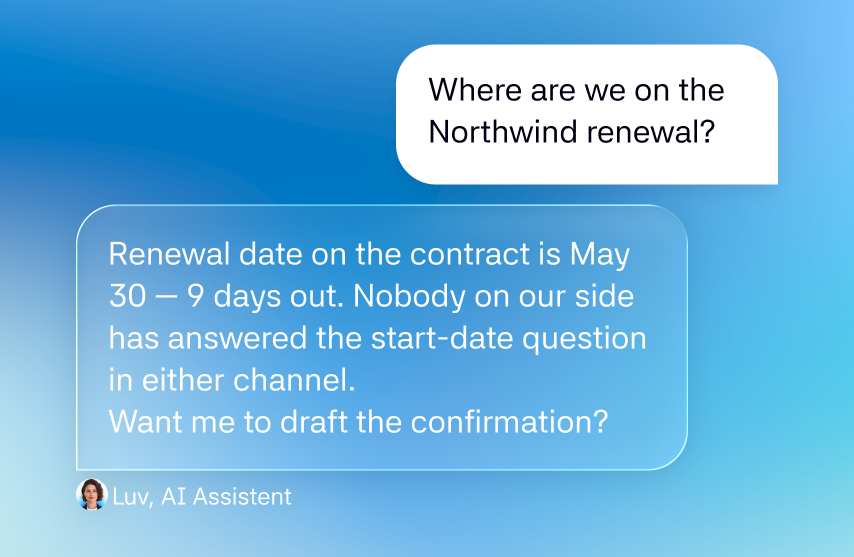
Ask Luv anything. “When did we promise Client X the integration?” You get the answer with the original message attached, instead of scrolling three apps to find one sentence.
Always on, so nothing slips
AI assistant works in the background across your chats and inbox. A message at 11pm, a decision made in a thread you’re not in, a reply that never came. It’s all tracked and waiting for you, not lost.
start your day with
Morning recap podcast

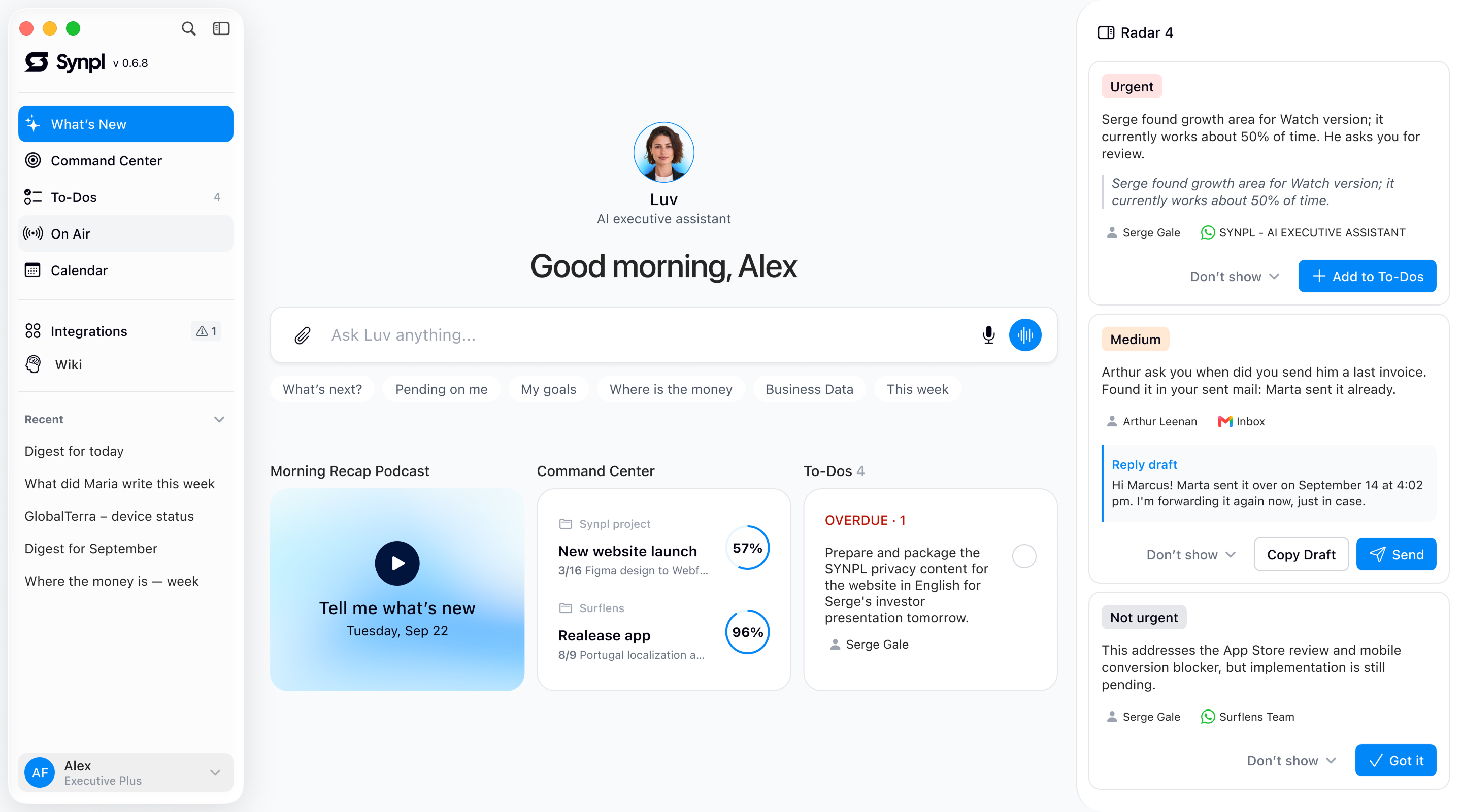
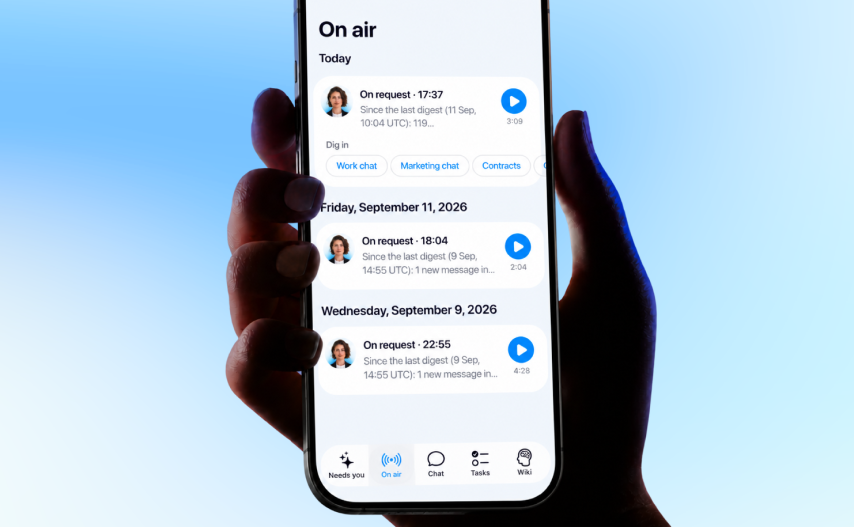
A short audio briefing built from everything that happened since yesterday: what changed, what’s on the agenda, who’s waiting on you. Listen in the car or over coffee, and you’re already in the loop before you open a single app.


Luv
Morning recap podcast
01:09

Play a sample to listen to
Control stays with you
Every action is traceable. Every byte is protected.
Only what you connect.
SYNPL sees the sources you give it access to and nothing else. Disconnect any of them in one click.
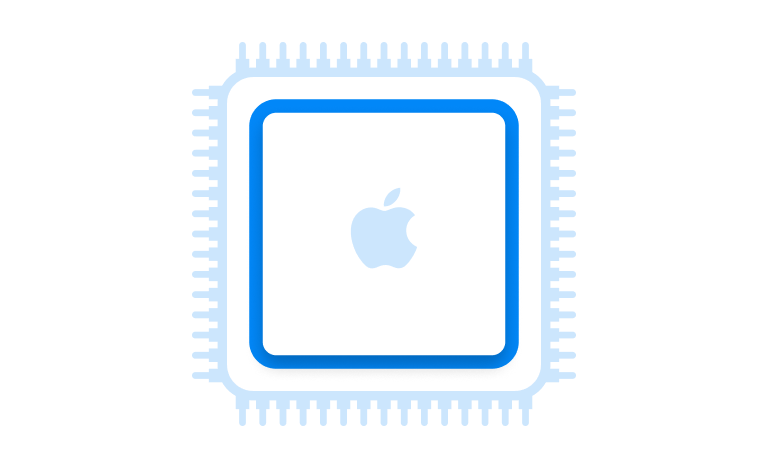
Processed on your device.
Your data is processed locally on your device. Chat text is sent to the server encrypted, used only to produce an answer, and isn’t stored on our servers.
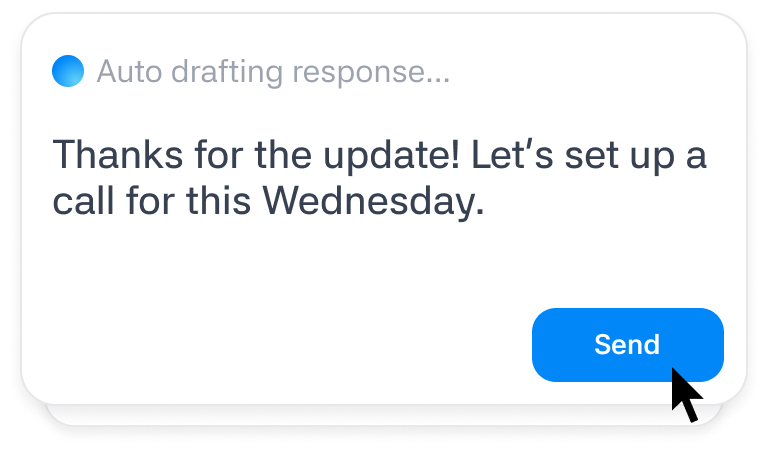
Nothing irreversible without your approval.
Drafts, plans and suggestions are prepared for you. What actually goes out is your call.
Never used to train models.
Your data supports your experience only. Customer data is not used to train models across customers or shared between customers.


Connections
Works with the tools you already use
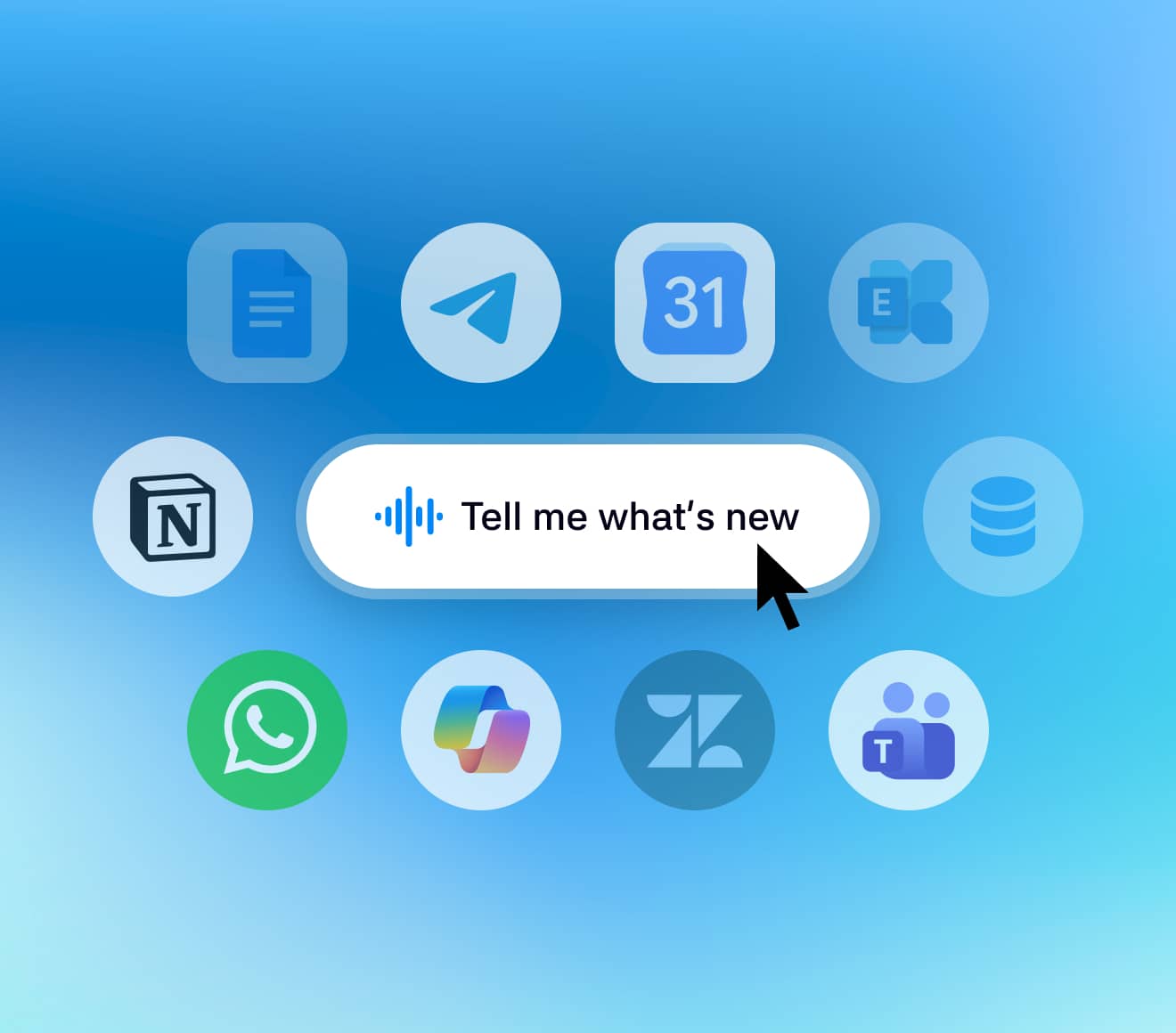
SYNPL connects to the tools that run your business — your calendar, inbox, chats, CRM, Notion, Jira, and more. More integrations coming soon.


Whatever your business looks like
 Startups
Start faster. Drop nothing.
You’re in every chat, every deal and every support thread at once. Luv keeps all of it in one place and tells you where you’re actually needed, so moving fast doesn’t mean losing the thread.
 Small business
Do more without doing everything yourself.
Luv reads every channel, catches the promises and complaints you’d otherwise miss, and hands you the replies already drafted. You stay on top of the whole business without living in your inbox.
 Mid-sized business
Turn complexity into capacity.
The more people, channels and clients you have, the more slips between them. Luv follows the threads across your whole operation and surfaces what needs a decision from you, instead of another status meeting.
Additional agents
Bring in an AI teammate when the work calls for one
Your AI assistant builds and briefs new teammates as you need them: analysts, marketers, support. Each one comes with its own knowledge base and context, so it’s useful from the first task.


Sana
Data analyst
Digs into the trend, finds the likely causes, and brings the charts to back it up.
“Client X’s traffic dropped, the numbers look off, and renewal is close.”

Theo
Product expert
Checks it against known issues and gives you an answer you can actually defend.
“This complaint sounds like a technical issue.”

Ada
Support specialist
Surfaces the queue, the owners, and the replies that never went out.
“There are old, unassigned tickets tied to this client.”


Get set up in minutes. No skills required.
SYNPL starts with one conversation. Your AI assistant gets to know your business, connects to the tools you use, and takes care of the rest.

The time you get back is yours.
They’re a dinner where you’re not checking your phone, a walk where you’re not running the list in your head.
Synpl holds the loose ends so you don’t have to carry them — and tells you the moment one of them actually needs you.
pricing
Less catching up.
More leading.
Your personal AI assistant. Choose the plan that fits your workday.
Founder
$59
$49
per month
Focus on building.
For founders managing a small team and their own client conversations.
Workload guide
Team: up to 5 people
Around 10 active clients
For a lighter daily workload.
Start 24-hour trialCard required. Then $49/month unless canceled.
- Recommended
Executive
$149
$79
per month
Lead the team.
Not the inbox.For leaders balancing team decisions, projects and client conversations.
Workload guide
Team: up to 20 people
Around 30 active clients
For a busy daily workload.
Start 24-hour trialCard required. Then $79/month unless canceled.
Executive Plus
$349
$149
per month
Less noise.
More control.For owners overseeing multiple teams, clients and competing priorities.
Workload guide
Team: up to 50 people
Around 100 active clients
For a high-volume daily workload.
Start 24-hour trialCard required. Then $149/month unless canceled.
Included in every plan
Cross-app context · Daily briefings · Replies in your voice · Follow-up tracking
One subscription. One leader. Team and client figures are selection guides, not included user seats or contact limits. Requires a Mac with Apple Silicon. Your work memory and index are stored on your Mac. Relevant context is shared with AI providers for cloud responses. Messages are sent only after you approve. Your plan includes a monthly AI allowance. Messages, briefings, replies and voice tasks all use it. Workload examples help you choose; actual usage depends on the work. AI usage is tracked in tokens. Your exact balance and usage are available in the app.
FAQ
Discover the answers to the most frequently asked questions.
The basics
Who is Synpl for?
Founders, owners and sales leads who run the business out of a dozen chats, an inbox and a calendar. If the first thing you do in the morning is scroll to find out what you missed, Synpl does that scrolling for you.
What do I get on day one?
Once setup is done, the first briefing takes about a minute to build. It tells you what changed since yesterday, who is waiting on you and which promises are still open. From then on you get a morning recap (text, or a short podcast if you'd rather listen), a running list of messages that need you, and replies drafted in your tone. You know the reply you keep postponing because writing it means digging through three months of an old thread? Luv reads the thread and has a draft ready in about ten minutes.
How is this different from a bot that summarises chats?
A summary bot shortens one thread. Synpl follows the same client across WhatsApp, email, your helpdesk and your CRM, so it can tell you which conversation will stall if you don't step in today. You can also ask it “which deals are waiting on a next step from me?” and get a list with the original messages attached.
What do I need to run it?
A Mac with Apple silicon, running macOS 13 or later. The reading and indexing happen on your Mac, which is why your data stays there. There is also an iPhone app that works as a companion to the Mac. You can listen to the briefing in the car, get an alert when something needs you, and send a reply from your phone.
Which languages does it work in?
The interface comes in seven languages, and your conversations can be in any language, including several mixed together. Luv replies in the language of the thread, so a partner in São Paulo gets an answer in Portuguese and a colleague in Berlin gets one in German.
Sources and actions
What can I connect?
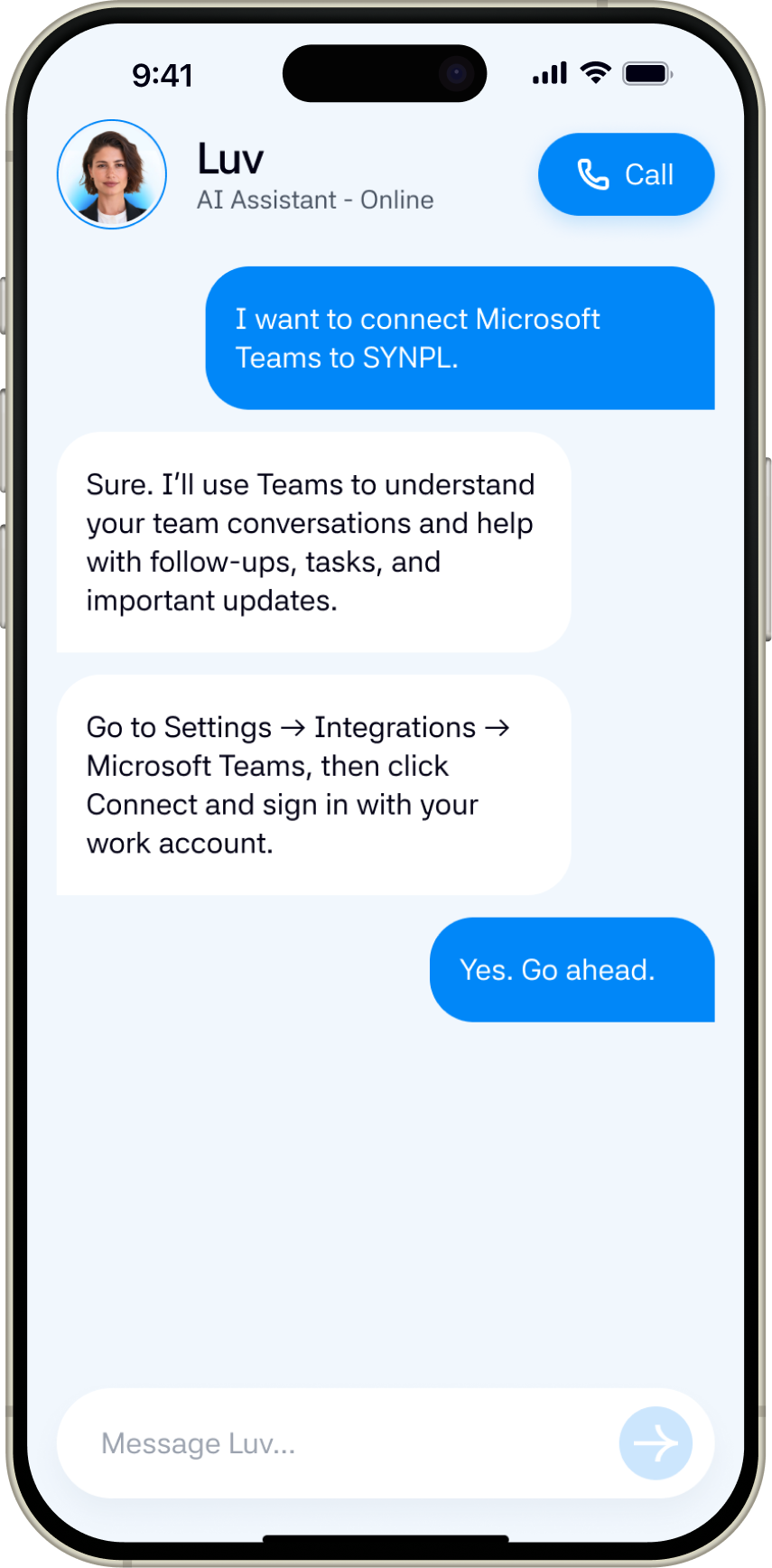
Chats: WhatsApp, Telegram and Microsoft Teams. Email: Gmail and Microsoft 365 or Exchange. Calendars: Google, Outlook and the calendars already on your Mac. Work tools: Zendesk, Jira, Pipedrive, Notion, your own database and folders of spreadsheets. If the tool you rely on isn't here, write to us. We add integrations based on what users ask for.
Will it read all my conversations?
No. It reads only the sources you connect, and within those only the chats and mailboxes you pick. You can mark a chat as personal to keep it out of work briefings, or leave it unconnected. At install Synpl reads the last 7 days. Going further back is your choice, and you can disconnect any source with one click.
Can it send messages on my behalf?
You are the one who presses Send. Luv drafts the reply using the history of the conversation and the way you usually write to that person. You read it, change what you want and send it from Synpl to email, Teams or Telegram. If it's late, you can schedule it for the next morning. Synpl never sends, deletes or marks anything as read by itself.
Does it remember what we agreed a month ago?
Yes. A promise you made to a client on Monday comes back up on Friday if nothing has happened. Ask “when did we promise the integration?” and you get the answer along with the message it came from. The memory builds up over time. You can see all of it in the Wiki and delete anything you don't want kept.
Privacy
Where does my data live?
On your Mac. Messages, attachments, voice note transcripts, the search index, what Synpl remembers about people and projects, and your connection tokens are stored in the app's folder and the macOS Keychain. We don't keep a copy of your conversations on our servers, which also means we can't restore them for you.
So what does leave my Mac?
The fragments needed for a specific answer, and your question. They go over an encrypted connection to our server in the EU, which passes them to our AI provider and sends the result back. Our server doesn't store the content. It keeps a record of who made a request, when, and how many tokens it used. We send requests with provider-side storage and training turned off, though the provider may keep API records for up to 30 days to monitor abuse. Before anything is sent, the app swaps names, email addresses and phone numbers for pseudonyms. API keys, passwords, one-time codes, card numbers and ID numbers are removed and never leave. Pseudonyms are not the same as anonymity: job titles, project names and dates stay in the text.
Why should I trust you?
You can check instead. In Settings, under Privacy, you'll find every request that left your Mac, word for word as it was sent, along with a count of the keys, codes and card numbers the app hid this week. The same tab has a switch that stops all AI processing. There is also a local mode that runs a model on your own machine or network, so requests don't leave it at all.
Is my data used to train AI models?
No. We don't train on it, and our provider isn't allowed to either.
What about my iPhone?
The phone talks to your Mac through a relay with end-to-end encryption. The keys are created on your devices, so we can't read the traffic or the contents of push notifications.
Do you collect analytics?
We record which screens and buttons get used. We never record the text of messages, questions or answers, and you can turn analytics off in About.
How do I delete everything?
In Settings, under Privacy, choose “Erase everything from this Mac”. The app signs out of your accounts, revokes tokens and deletes the index, attachments, transcripts, memory, settings and stored credentials. For the account records on our side, email support@synpl.com and we'll delete them within 30 days.
Plans and billing
What am I paying for?
An assistant that reads a few thousand messages a month so you don't have to. Each plan comes with a monthly allowance of AI usage, and the app always shows how much you have left. If you're not sure which plan fits, start with Founder. The app warns you well before you run low, and you can move up at any time.
Do I pay for each teammate?
No. Each plan is a personal workspace for one leader. Team and client sizes describe a typical workload, not extra user seats or hard limits.
How does the trial work?
Try Synpl for 24 hours with a payment card. Your chosen monthly plan starts automatically afterward unless you cancel before the trial ends.
What happens if I use my allowance?
AI tasks pause until the next billing cycle. Add a Boost or upgrade to continue. Local search, indexing and calendar access stay available.
How do I cancel?
In the app, under Account, open Manage subscription. You can cancel, change your card or switch plans there, and you keep access until the end of the period you paid for.
Is this a finished product?
Not yet. Synpl is in beta. People use it every day, we release updates often, and sometimes things break. Summaries and drafts are written by AI and can be wrong, so check anything important against the original message. Synpl always links to it.
Not sure which plan fits?
Tell us about your typical workday.
get started
Imagine what you could do without the busywork
Spend less time managing. More time building.
